 Lilacpane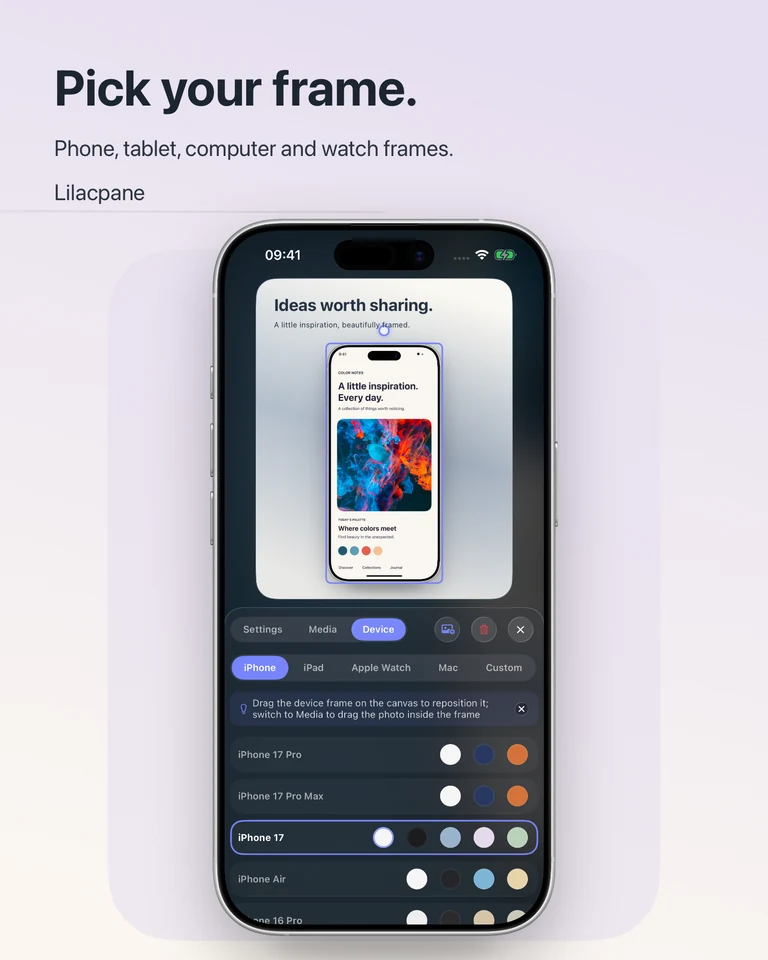
Create an iPhone screenshot mockup
Import a real screenshot in Lilacpane and select an available iPhone frame. Match portrait or landscape orientation before arranging the image. Check the screen opening, corners and safe margins so controls are not obscured. Add a background and a short caption only after the screen fits correctly.
Combine iPad and MacBook views
For a multi-device mockup, select views that show different parts of the same product story. Make one device dominant and give the others supporting roles. A desktop overview and a mobile detail can explain a responsive website; repeating the identical view at several sizes often adds clutter. Available frame models depend on the app version.
Put a screen recording in a device frame
Import a recording or video, choose a suitable frame and preview the motion in the editor. Keep the recording focused on one action, with enough time to see its result. Check the full exported clip for cropping, text readability and the start and end frames. Use the formats and settings offered by the export panel.
Prepare a mockup for a website or portfolio
Use a plain background when the mockup will sit among other page elements. If a transparent PNG is appropriate, inspect the available export settings and test its edges on the destination background. A presentation mockup is a rendered image or video: it does not create an interactive website prototype or a PSD/Figma source file.
Questions before you start
Does a MacBook frame mean the pictured app runs on every Mac?
No. A frame is a presentation choice. Use screenshots from a real supported product and check Lilacpane’s current compatibility on its App Store page.
Is this a free online mockup generator?
Lilacpane is a downloadable app. It is free to download, with in-app purchases; this website provides examples and instructions rather than a browser editor.
Free to download. In-app purchases are available; check the app for current access and export options.